



AI-native parametric CAD
Shape with intent
Aretu CAD provides a new way to do parametric design. Describe the part, refine it by hand, and keep every step in an editable feature history, with you in control.
The free Windows beta is planned.
Available now for Windows on Intel, AMD and Arm. Activate by email after installation.
£9.99 once · commercial use · updates to your version included · upgrades at half the difference
Engineering detail
Desk lamp
A balanced-arm lamp: parallel link rods, springs anchored over each pivot to hold any pose, knurled tension knobs and a fluted tilt knob on a vented shade, wired to a moulded plug.
Actual screenshot from an AI-guided modelling session in Aretu CAD, November 2026. Full screenshot · All models
Five priorities
- 01
AI for the repetitive work
Harness AI for the repetitive tasks that can be automated.
- 02
Your model in view
Keep the interface simple and minimal, with your model in view.
- 03
You stay in control
Let you and AI work on a design together, with you in control.
- 04
A traceable history
Make the evolution of a design traceable and controllable.
- 05
Beyond the desk
Take parametric design beyond the desktop workstation, onto portable devices.
The interface
Commands that meet you at the cursor
Aretu CAD brings relevant commands to the point of work. Press S, or right-click, and a ring of tiles opens at the pointer. The available commands reflect the context: a face, an edge, a body, a sketch, or empty space. The aim is to keep your attention on the model, with less context switching and less cursor travel around the screen.
Schematic comparison, not to scale.
Relevant commands
A face offers face operations. An edge offers chamfer and fillet. A sketch offers its drawing tools, keeping the menu focused on the current task.
Right where you work
The ring opens at the pointer, or at the tip of a hovering pen, so your eyes stay on the model.
Explains itself
Hover any tile to see what it does, or why it isn't available yet and what it needs.
Keyboard control
Press S to open the menu. Q A Z pick the tiles down the left and E D C those down the right, on every page. Esc closes the menu.
Drag to adjust
Numeric tiles change their value as you drag across them, with live feedback and no dialog box.
Nothing permanent
Panels appear when a command needs them and leave when it is done. Show, auto-hide or hide the Feature Tree and console as you prefer.
Try the Zen menu
Click a face, an edge or empty space, or press S, and the ring opens with the commands for what you picked. Hover a tile to see what it does.
An interactive illustration built from the application's own menu pages and glyphs, not a recording of the application.
AI-native
Describe the change and stay in control
AI in Aretu CAD uses the same validated operations as the manual controls. The resulting geometry remains editable through the Feature Tree.
As AI models improve, they may support a wider range of modelling tasks. Each step remains visible, reversible and available for you to edit.
One set of commands
Manual and AI operations use the same commands and pass the same validation checks.
Watch it work
Previews, the Feature Tree and the Event Log show each step as it happens. Stop it at any moment.
Then take over
Undo it, edit the feature, change a dimension by hand. AI output is a starting point you own.
Your choice of model
Connect any service with an OpenAI-compatible endpoint, such as OpenAI, Anthropic, Google Gemini or Mistral AI, or a model running on your own computer, and switch between them. Modelling never depends on it.
AI model access isn't included in the price. The launch AI arrangement is being finalised; setup requirements and any costs will be published before sales open. AI can make mistakes, so you review the result.
AI-driven model creation
From a description to a model
A selection of models created through AI-guided modelling sessions in Aretu CAD, from individual parts to designs with several bodies.
Actual screenshots from development testing in October and November 2026. The sessions included follow-up instructions and revisions. These are modelling examples, not validated manufacturing designs.
Curved forms
Teapot
A body revolved from tangent arcs, a handle swept along a curved path and a spout lofted through circular sections, joined into one glazed body with a separate lid.
View full-size teapot
Patterns and mirroring
Quadcopter drone
A filleted hull and tapered canopy, one arm, motor and propeller patterned to all four corners, slotted motor bells, mirrored landing skids and a camera ball.
View full-size quadcopter drone
Revolved profiles
Chess set
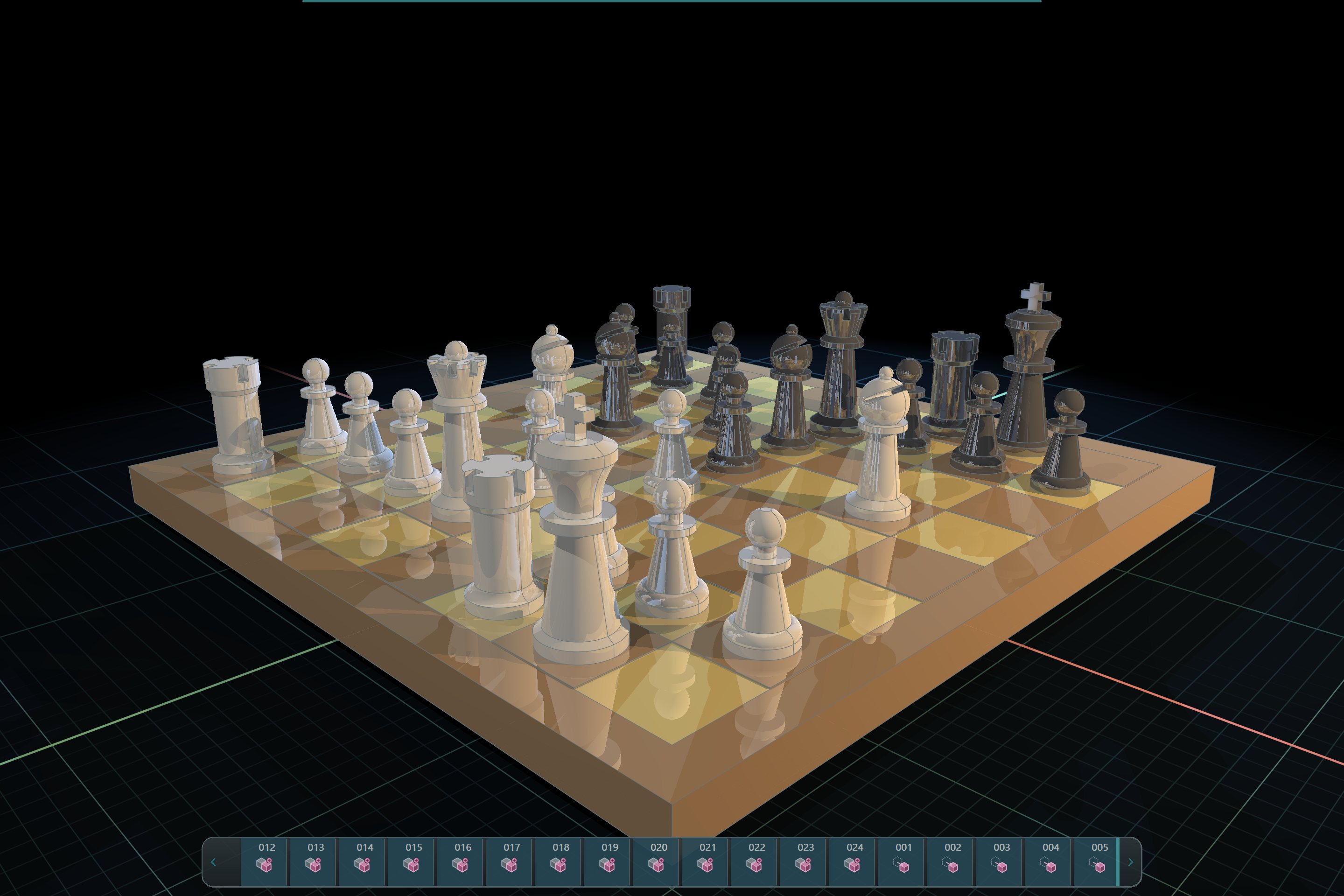
An inlaid board with 32 patterned walnut squares and turned pawns, rooks, bishops, queens and kings, with patterned crenels and coronets, placed in a mid-game position.
View full-size chess set
Materials and glow
Lighthouse
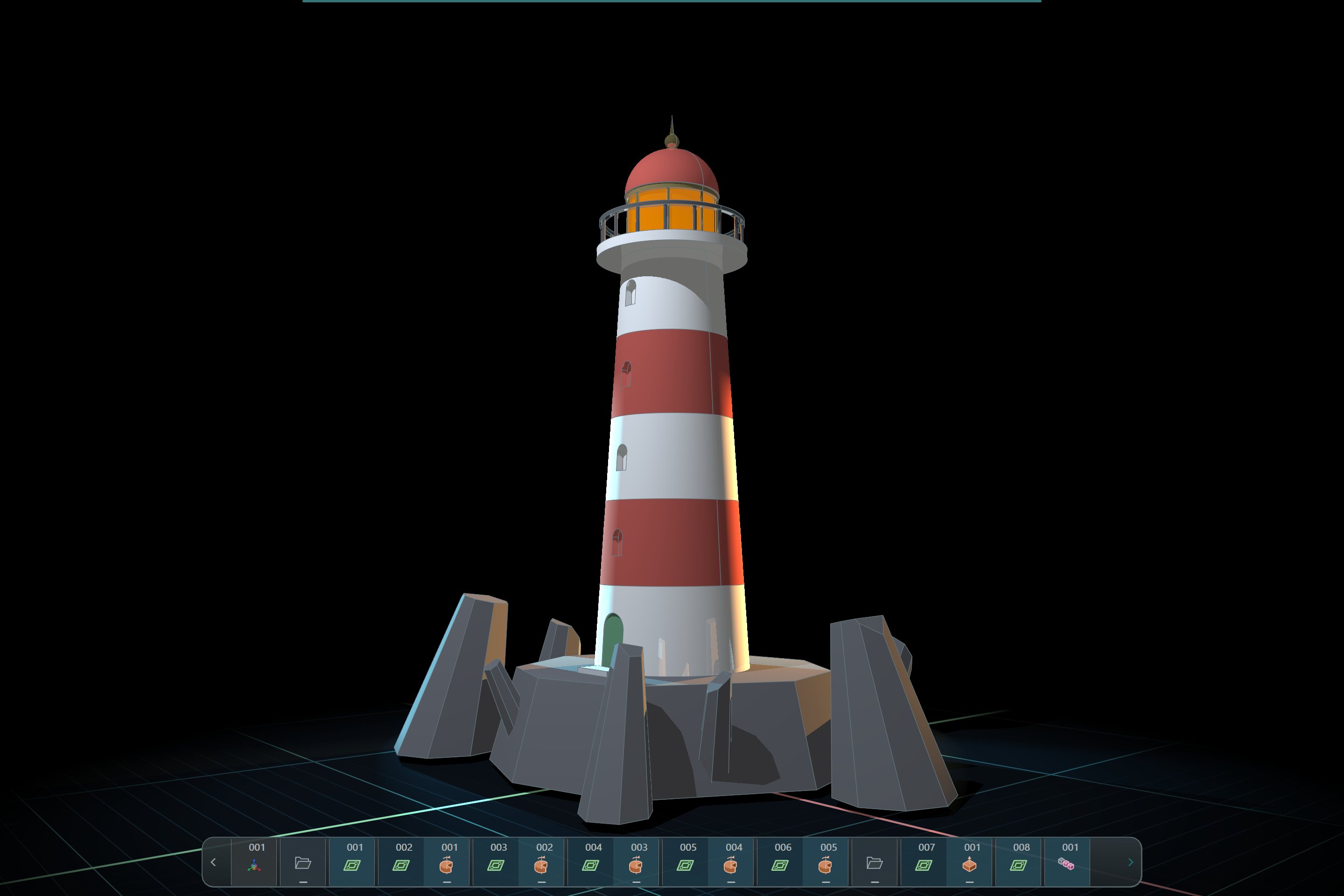
A tapered tower painted in bands, a gallery with patterned railing posts, a glowing lantern under a domed cap, set on a base of faceted rocks.
View full-size lighthouse
Fine detail
Rangefinder camera
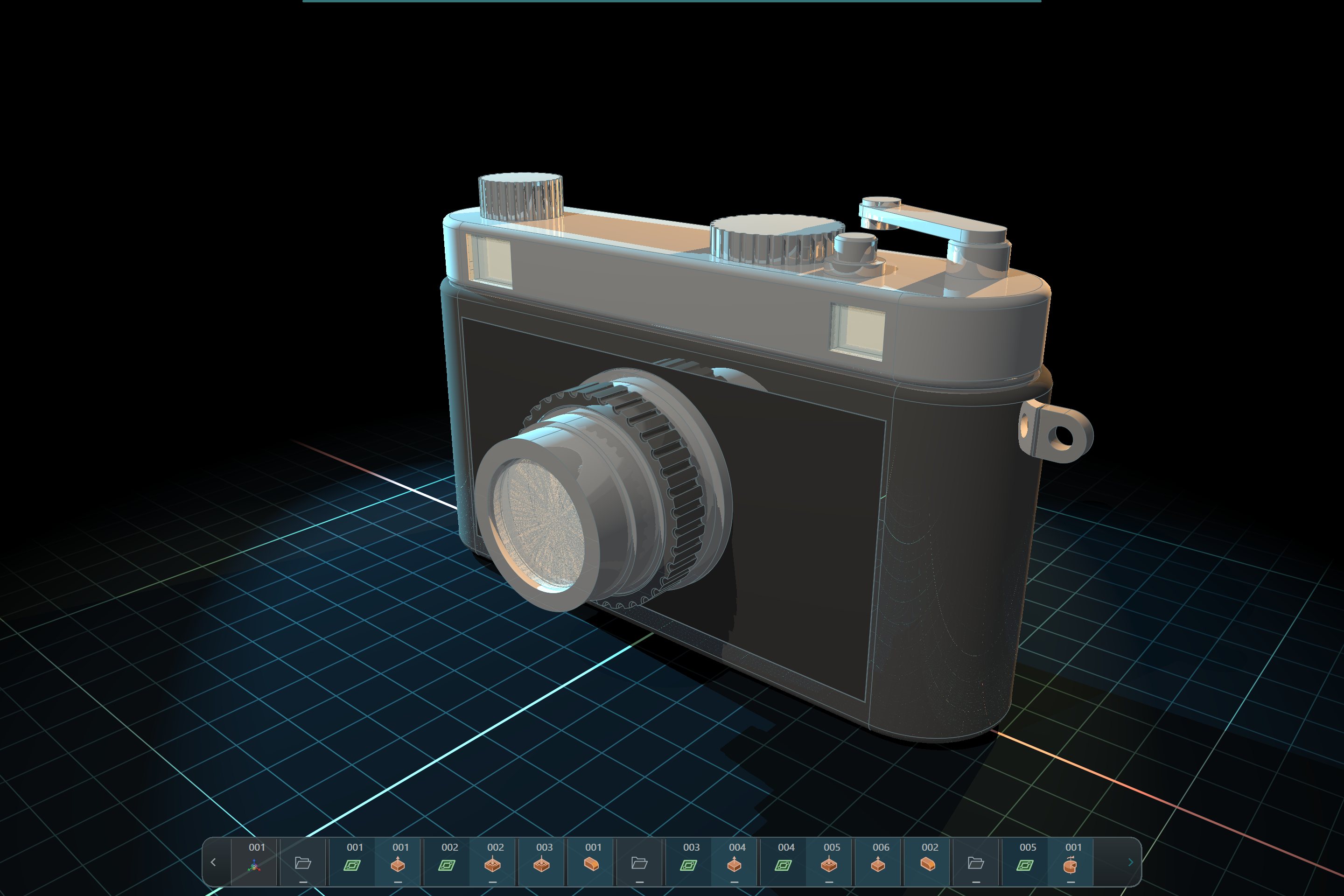
A rounded body under a filleted top plate, with knurled dials, a wind lever, viewfinder windows, a strap lug and a lens with a ribbed focus ring.
View full-size rangefinder camera
Spline outlines
Electric guitar
A spline body outline with rounded edges, a C-profile neck with patterned frets, strings set at a playable action over two pickups, a bridge, knobs and tuners.
View full-size electric guitar
Multiple bodies
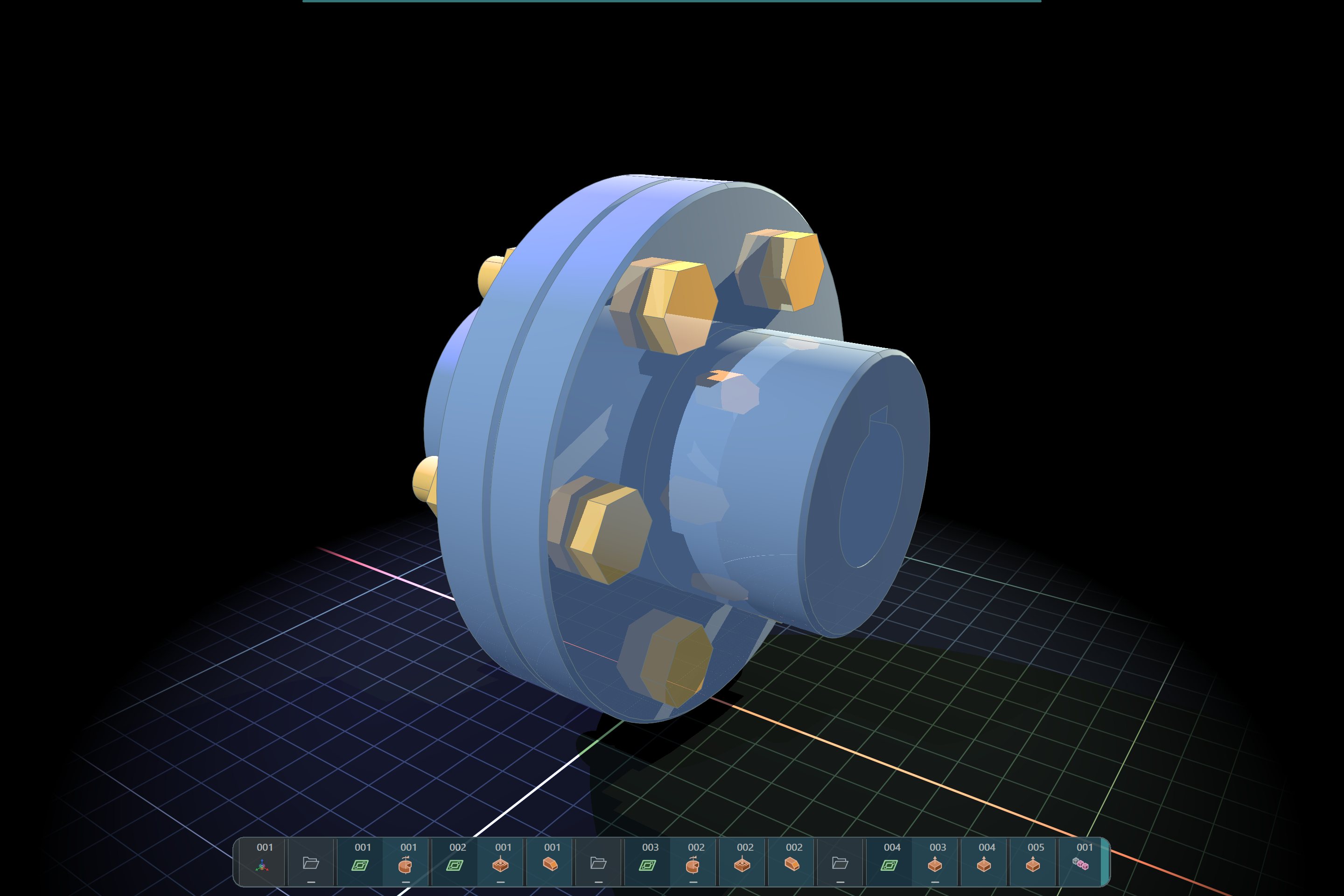
Flange coupling
Two flange halves with a keyed bore, bolts and nuts. A follow-up instruction changed the design from four fasteners to six.
View full-size flange coupling
Component detail
Door hinge
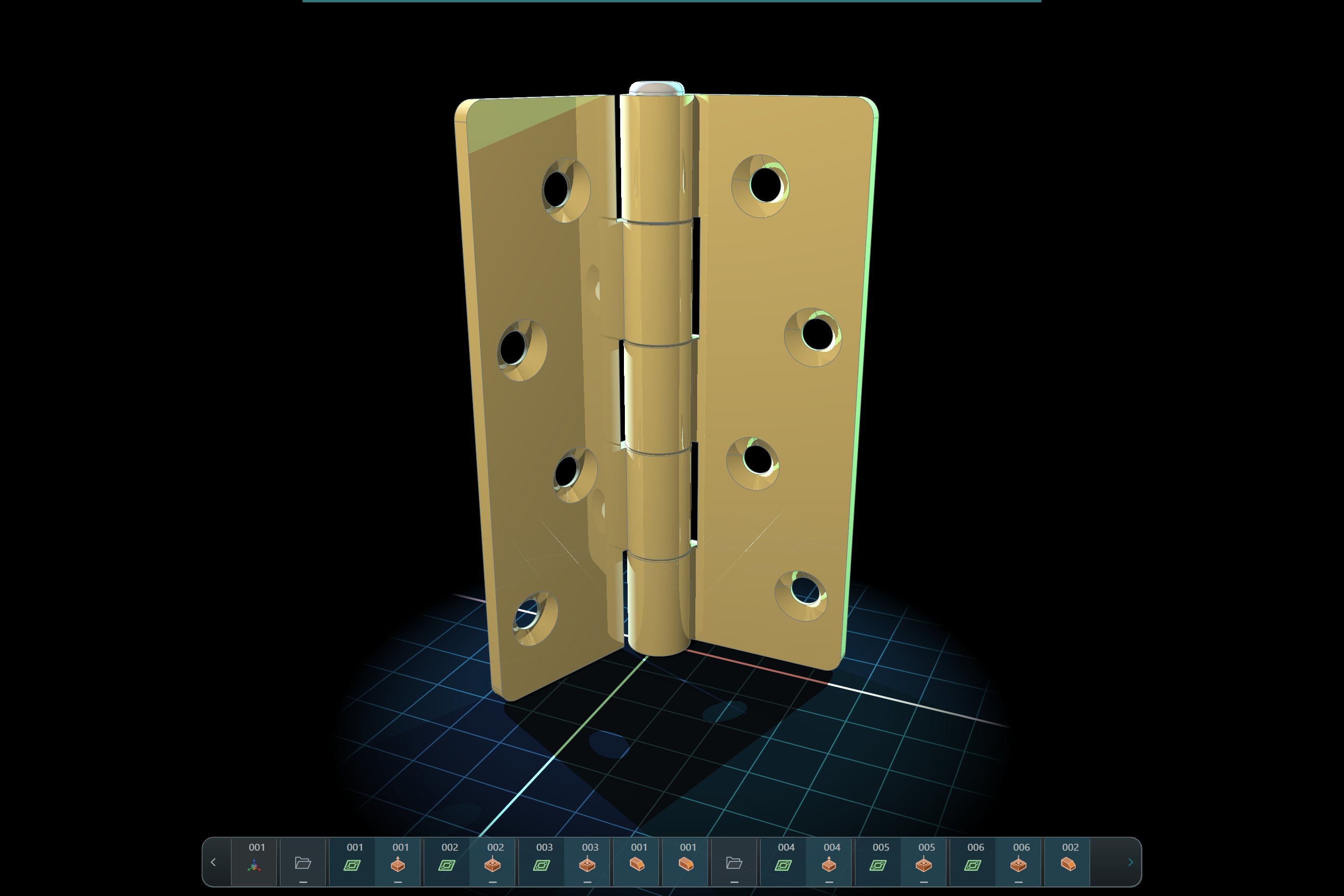
Two leaves and a separate pin, with interleaved knuckles, rounded corners and countersunk fixing holes.
View full-size door hinge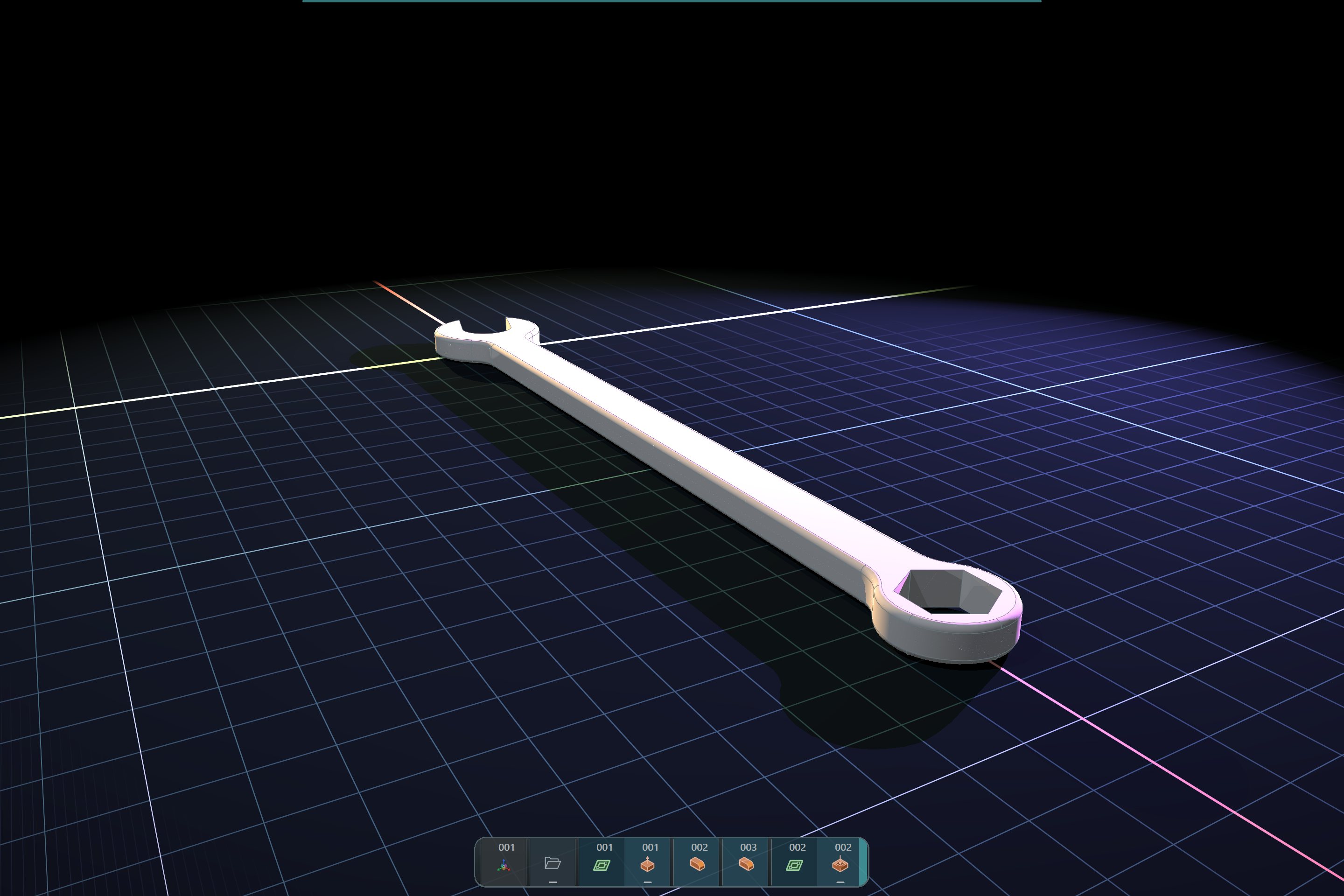
Shape and refinement
Combination spanner
An open jaw and hexagonal ring joined by a shaped handle. The session explored length changes and rounded transitions.
View full-size combination spannerSelect an image to inspect the original screenshot, including the application's Feature Tree.
Portable
Designed for the pen as well as the desk
Aretu CAD is designed for pen and touch as well as mouse and keyboard. Supported Windows tablets and 2-in-1s offer the same contextual menus and AI controls as a desktop.
- The pen is a first-class input. Tip, hover and double-tap work across the interface, and the Zen ring opens where a hovering pen points.
- Pen gestures for pen-only work. Tap with the side button held to open the Zen menu, and double-tap with the tip to end a drawing tool or select a whole body. With the side button held, draw a circle, an up-down stroke or a left-right stroke to latch Ctrl, Shift or Alt, so modifier actions need no keyboard; a double tap with the button clears them. Every gesture can be rebound in Settings.
- A focused workspace on smaller screens. Contextual menus leave room for the model on both tablets and desktops.
- One portable core. The modelling engine is written once in portable C++ with a native host for each system: Windows first, then Linux and macOS.
- Offline use after purchase. The launch licence is intended to support offline modelling after online activation. Beta licences require regular online checks. AI uses whatever connection your chosen provider needs.
Supported tablets and pens will be listed before release. Desktops and laptops work with mouse and keyboard as usual.
Files and history
A feature history that stays with the model
Aretu CAD records each accepted change as you work and keeps undo and redo history with the model. Reopen a file to continue working or revisit earlier changes.
Durable from the first feature
Each accepted feature or edit is written to the model's journal. Changes are recorded even before you create a checkpoint.
Undo survives closing
Undo and redo live in the file. Reopen a model tomorrow and step back through yesterday's changes.
Checkpoints when you choose
Commit model (Ctrl+S) checks the whole model and records a clean checkpoint. Name it then, or keep the system name.
Picks up where you left off
After a restart, or a crash, your workspaces come back and the recorded history replays.
Filed for you
Models live in a repository folder you choose. Working files are created and named for you: no File, New, Save As.
History protection
Only one writer can update a model at a time. Recovery preserves earlier valid records if the end of the journal is damaged. Editing after an undo retains the previous sequence.
Native model files keep the full editable history. STEP and STL export carry geometry to other tools.
Parametric modelling
Make the part fit your project
Sketch it, dimension it, build it, and then change your mind if you need to. Every step stays editable, so a new measurement is a quick edit rather than a redraw.
Planned launch features
In the free Windows beta
2D and 3D sketches
Lines, arcs, splines and more, with dimensions and constraints.
Extrude, cut and drill
New bodies, pockets, standard holes and through-all cuts.
Revolve
Shafts, knobs and turned forms about any axis.
Sweep and loft
Pipes, threads and smooth transitions, with guides.
Chamfer and fillet
Bevel or round edges, at a constant or varying radius.
Body operations
Combine, pattern, mirror and copy whole bodies.
Face operations
Push, pull, draft or remove faces, or shell a solid.
Surfaces
Extrude, loft and fill sheets, then trim, join and split.
Sheet metal
Flanges, hems, tabs and bends, then the flat pattern.
Assemblies
Joints and constraints, explodes and motion studies.
Drawings
Views, sections and details, parts lists, PDF and DXF.
Parameters
Named values and equations that dimensions follow.
Measure and materials
Distances, volume, mass and centre of gravity.
Feature Tree
Roll back, insert, reorder and suppress steps.
STEP and STL
Exchange geometry and send parts to your slicer.
AI and direct control
Ask, watch, stop, and refine by hand.
Pricing
Free during the beta, one payment at launchPractical CAD without a subscription
One edition, paid once, with no subscription. Every update to your version is included. When a new major version arrives, you can upgrade for half the difference in price, or keep the version you have.
We're aiming for a one-time launch price well below what a typical professional CAD subscription costs for one year. Updates to the version you buy will be included.
Windows beta
Free to evaluate
- Time-limited beta licence
- Regular online licence checks
- Feedback helps shape the first release
Launch pricing will be announced before sales open.
Aretu CAD 1
£9.99once
- Commercial use included
- Every update to your version included
- No subscription, no renewal
- Modelling works offline after activation
Later major versions £19.99, then £29.99, for new customers. Owners upgrade for half the difference.
Platforms
Windows first, then Linux and macOS
Release dates will depend on development and testing. One licence is intended to cover you across supported platforms.
First
Windows
PCs, laptops, tablets and 2-in-1s, on x64 and Arm64 processors.
In development
Beta
Available now
Next
Linux
A native Wayland version is in development on the same portable core.
Planned
Then
macOS
The portable core already builds with Apple's compiler; the native Mac version is planned.
Planned

Arete Form
Where intuition meets geometry
Arete Form makes design tools that harness AI to empower creators.